Prototype screens, example data

Coming to iPhone and Android

Do the work. Post the proof.

Track what you train, build and learn. A small circle sees your day as it happens, and notices when you go quiet.

02Log it

One tap logs it. Your circle sees it live.

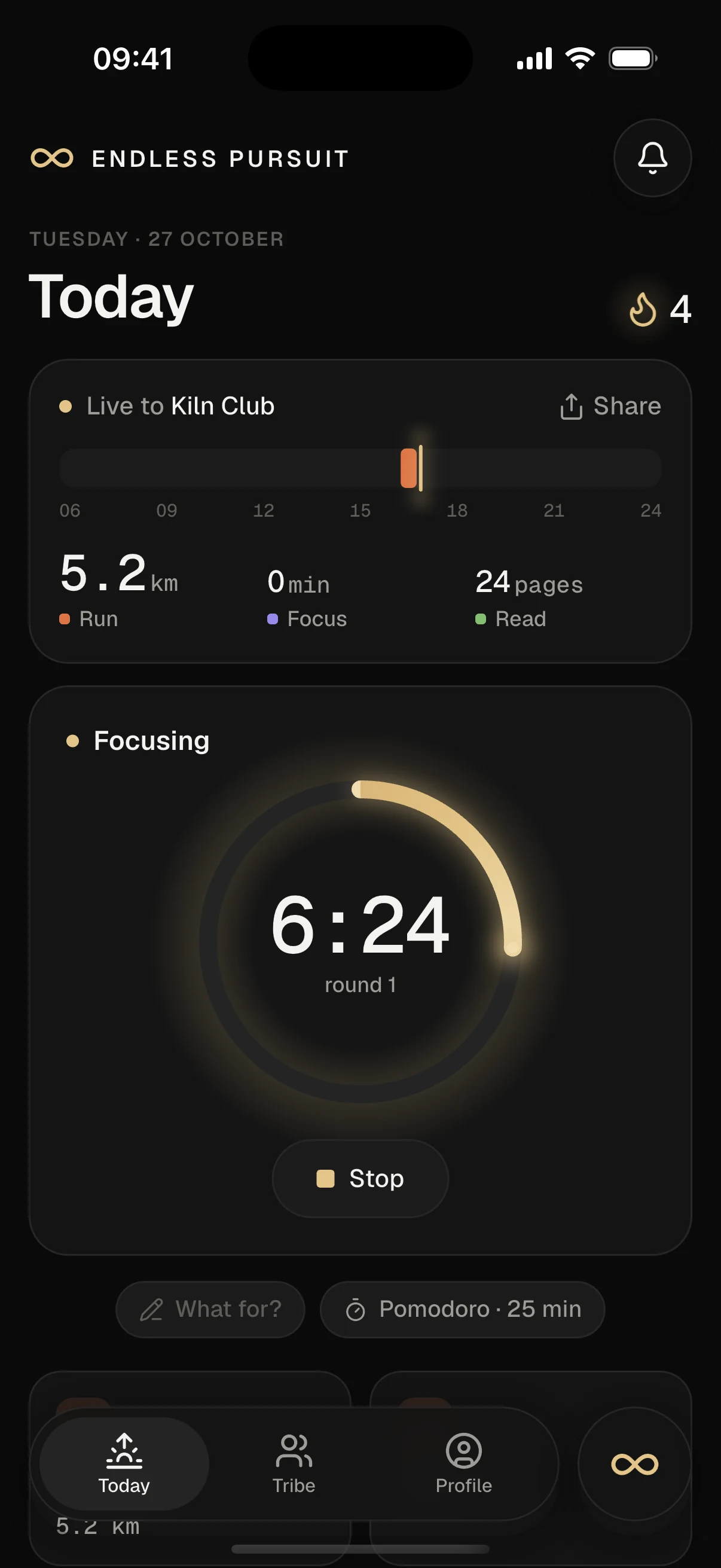
Every tracker is a one-tap button on Today: a focus block, a meal, a training session, pages read. Your day card fills itself in as you go. There’s no post button. Logging is posting.

  • Focus
  • Meals
  • Training
  • Pages

The Today screen: a meal is logged with one tap, protein updates, a focus timer starts and the day goes live to the circle.

03Accountability

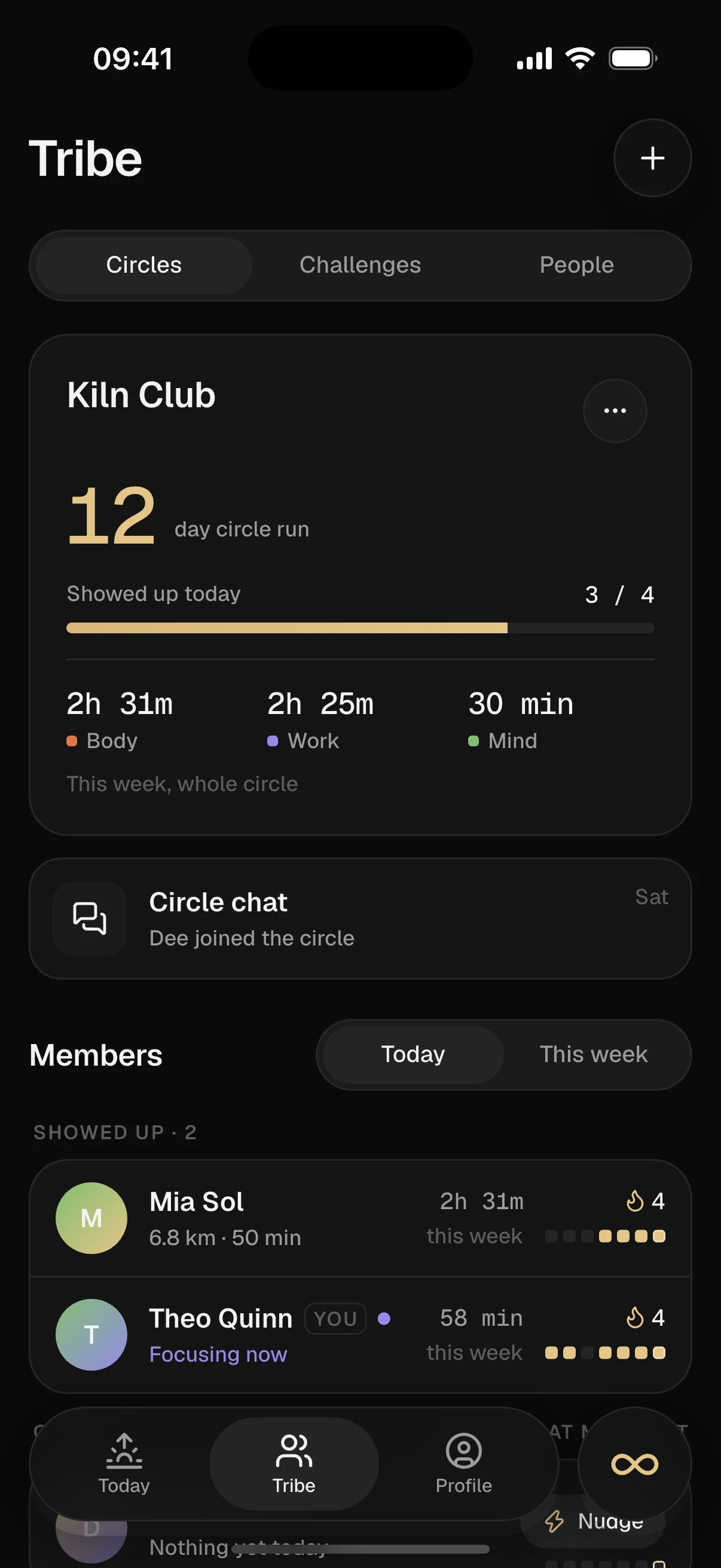
Your circle sees who showed up.

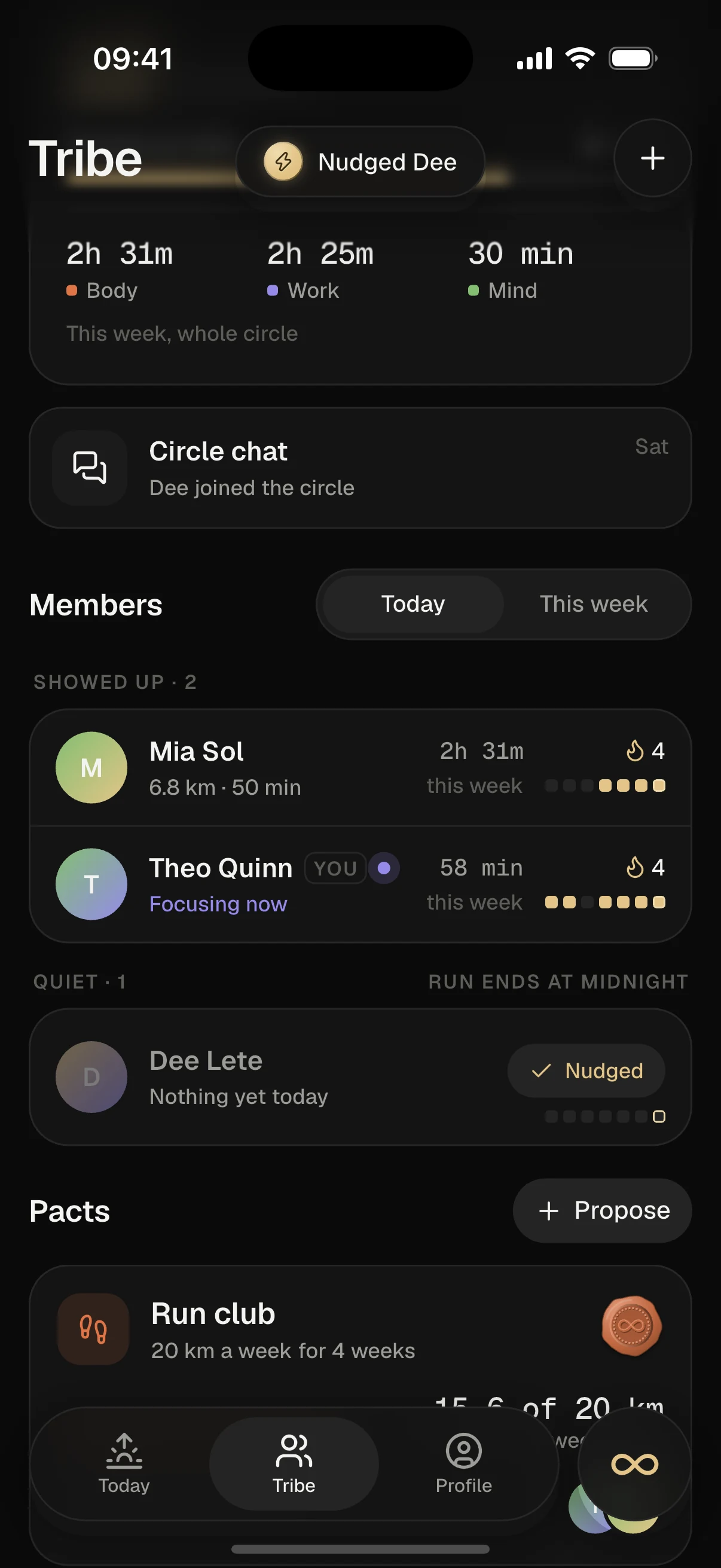
Log anything and you’ve shown up for the day. The circle run counts the days in a row that everyone did, so one quiet friend puts it at risk. One tap nudges them, and they see it was you.

The run ends at midnight if they don’t log.

The Tribe screen: a 24-day circle run, seven of ten members showed up today, and a quiet member gets nudged.

04Your circle

Start a circle. Bring your people.

Name it, share the invite code and start together on day one. Up to 10 people who see your day as it happens. Only the people in it can see it.

Starting a circle: it gets a name and an invite code, and two friends join.

05Body, Work, Mind

Train. Build. Read. Or all three.

Point your effort at Body, Work and Mind. They’re equal, and your circle works the same for all of them. What you pick decides your title.

  • Gym rat
  • Operator
  • Deep worker
  • Pursuit maxxer

Choosing what you’re pursuing: Body, Work and Mind are picked and the title becomes Pursuit maxxer.

06Big days

Ship something, and it shows.

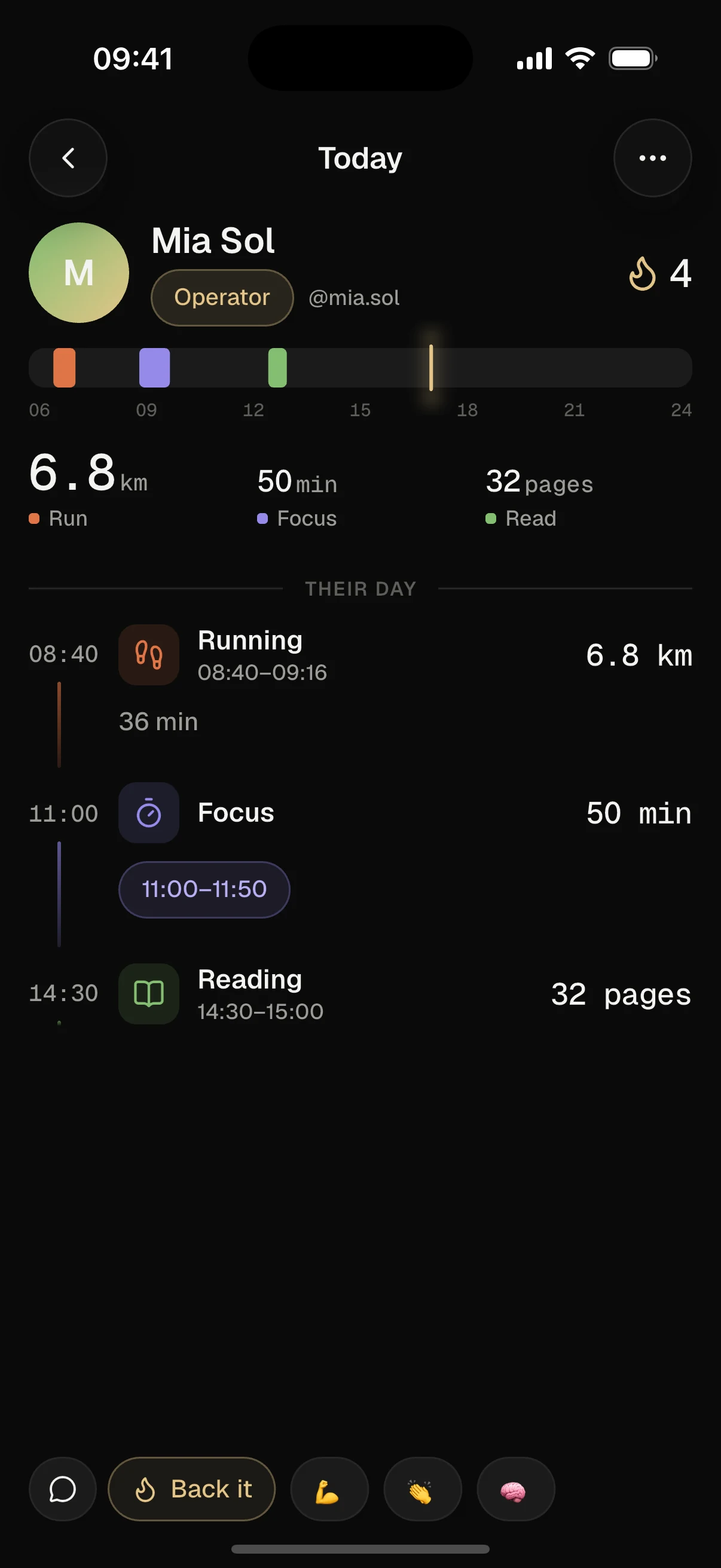
Finish a milestone and it gets a gold Shipped card, with the hours of focus that went into it. PRs, long runs and finished books stand out from the day. Your circle backs it with one tap.

A friend’s day: a gold Shipped card for “Payments live”, focus blocks, a training session with two PRs, and reactions.

07Share

Thursday. Showed up.

Every day turns into a card worth posting. Send it to your story in one tap. Every number on it comes from a real log.

The share sheet: a story-sized card reading “Thursday. Showed up.” with the day’s focus, volume and protein.

08Your record

Your whole record, in one place.

Every week, month and year, per mode. Your streak, your best run and your trophies. Day one counts: your streak starts at 1, not 0.

The profile: weekly focus, volume and pages as bar charts, an 86-day streak and a trophy case.

Modules

Build your day from modules.

Every module plugs into the day. It counts toward showing up, or it puts a real number on your post. Pick the ones that fit what you’re pursuing.

body

Training

Your split, a live set logger and PRs worked out from your sets. Never typed in by hand.

Push B21 sets · 1h 05m
PR · Bench 100 kg × 3

Counts as showing up

body

Nutrition

Snap a meal and we read the macros. Protein against your target, all day. The photo stays private.

96/160gprotein
Snap a meal · 64g left

Counts as showing up

body

Running

Distance, pace and time for every run, with a photo if you like.

12.4km5:02 /km

Counts as showing up

body

Weight

One number a morning and the trend. Off for everyone until you turn it on.

81.6kg−2.1 since 1 Jul
Only you, until you say

Private by default

work

Focus

The one timer. Point it at a project or a topic, as a Pomodoro or free-running.

24:10
Focusing · Northwind

Counts as showing up

work

Projects

Tasks for each project. Star one as a milestone and finishing it posts a gold Shipped card.

Stripe webhook retries

Receipt email copy

Payments liveShipped

Ships with a gold card

mind

Reading

Name your book and your page: that’s your first data point. Log pages in one tap.

p. 212/304your book
Log pages · 12 today

Counts as showing up

mind

Journal

A full page a day. Nothing you write is seen unless you share it, by hand.

The page is yours.

Private by default

Counts as showing up

mind

Vision board

Pictures of why you’re doing all this. It opens when discipline needs a reason.

Private by default

Your most-used modules sit on Today as one-tap buttons. The rest live in each mode’s workspace.

Integrations

Every app you use. One card.

Your watch knows the run. Your calendar knows the deep work. Your meditation app knows the 15 minutes. Connect them and it all lands on your day card, without typing it in twice.

Wearables and health8

  • Apple Health
  • Health Connect
  • Garmin
  • Strava
  • Whoop
  • Oura
  • Fitbit
  • Withings

Work6

  • Google Calendar
  • Outlook
  • GitHub
  • Linear
  • Notion
  • Todoist

Mind and mindfulness4

  • Headspace
  • Calm
  • Insight Timer
  • Readwise

If it syncs to Apple Health or Health Connect, it syncs here. Runs, rides, sleep, meals, mindful minutes and weight, from whichever app logged them.

  • It counts

    A synced run or meditation counts as showing up, the same as one logged in the app.

  • Same rules

    Synced numbers follow each circle’s privacy settings. Connecting an app shares nothing new.

  • Source on every number

    Each number on your card shows the app it came from.

Planned integrations, not live yet. Every name here belongs to its owner.

Privacy

Everything starts private.

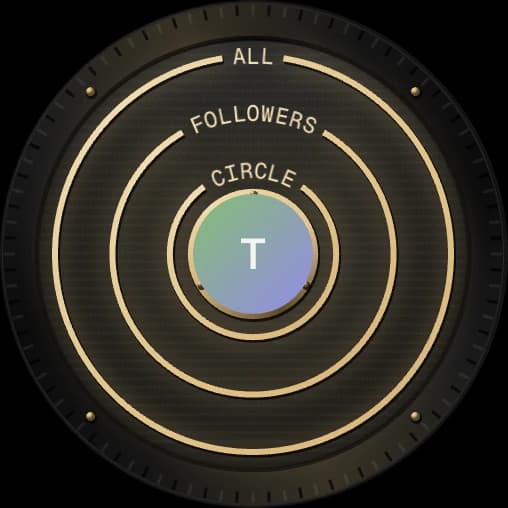
Nothing is locked away and nothing shares itself. You choose what each circle sees. The one thing that always gets through is that you showed up.

  1. 01

    Your record

    Choose who sees each day: just you, your followers or everyone. Change it later.

  2. 02

    Your circles

    Every circle gets its own rules. Your gym circle sees your Body numbers, your founder circle sees your Work.

  3. 03

    By hand

    Photos, journal pages and extra numbers only move when you share them, one post at a time.

What Locked In sees

Each circle has its own settings.

  • That you showed up

    Always on. Showing up is the point.

  • Body numbers

    Training, runs and meals

  • Work numbers

    Focus hours and what you ship

  • Mind numbers

    Pages read and journal count

  • Body weight

    Off until you turn it on

  • Photos and journal pages

    Only when you share them, one post at a time

    By hand
A

Alex

Pursuit maxxer

Showed up today

3h 24m

Focus

8,420kg

Volume

46

Pages

FAQ

Questions, answered.

  • That’s the idea. When you join the waiting list you can start a circle and invite the people you want to do this with, so you start together on day one.

  • No. Body, Work and Mind are equal. Your circle sees your focus hours, your training and your pages the same way.

  • That you showed up, always. Beyond that, only the numbers you let through to that circle. Your writing and photos only move when you share them.

  • Only where it helps: reading your meal photos so you don’t have to type in macros. Everything else is plain numbers from your logs.

  • iPhone and Android.

  • We’re letting people in week by week, so new circles start together. Join the waiting list and we’ll email you when your spot opens.

Waiting list

Day one is already on the board.

Join the waiting list, then invite the people you want to do this with. You’ll start on day one together.

What are you pursuing? Optional. Pick one, two or all three.


We’ll only use your email for the waiting list.